

Some Shopify merchants cannot sell every product in every location.
For regulated product sellers, B2B distributors, freight-heavy stores, and region-limited merchants, product availability may depend on the customer’s state, country, delivery zone, or shipping region. But if checkout still accepts restricted orders, the team has to fix the issue after payment.
The Use Case
A Shopify merchant sells products that are allowed in some regions but restricted in others.
The team already knows the rules.
- Some products cannot ship to certain states.
- Some SKUs are limited to specific countries.
- Some products require special handling by region.
- Some delivery areas are not supported.
The policy exists, but checkout does not enforce it.
The Problem
The issue appears after the order is placed.
A customer from a restricted region completes checkout. The order reaches the team.
Now someone has to review the order, stop fulfillment, contact the customer, cancel the order, issue a refund, or explain why the product cannot be shipped.
The customer thought the order was accepted.
The merchant knows it cannot be fulfilled. That creates avoidable frustration.
Why It Happens
Shopify checkout is designed to complete orders quickly.
But region-based product rules are often specific to the merchant’s catalog, shipping policy, and business requirements.
- A product page note may be missed.
- A policy page may not be read.
- Manual review only catches the issue after the order exists.
If the restriction matters, it should be enforced before checkout completes.
The Consequences
Restricted orders can create:
- Manual order review
- Refunds and cancellations
- Delayed fulfillment
- Customer support tickets
- Confused buyers
- Internal escalation
- Avoidable compliance or shipping concerns
For merchants selling restricted, regulated, or region-sensitive products, these issues can repeat often if checkout does not validate the order.
The Better Workflow
Region-based product rules should be checked during checkout.
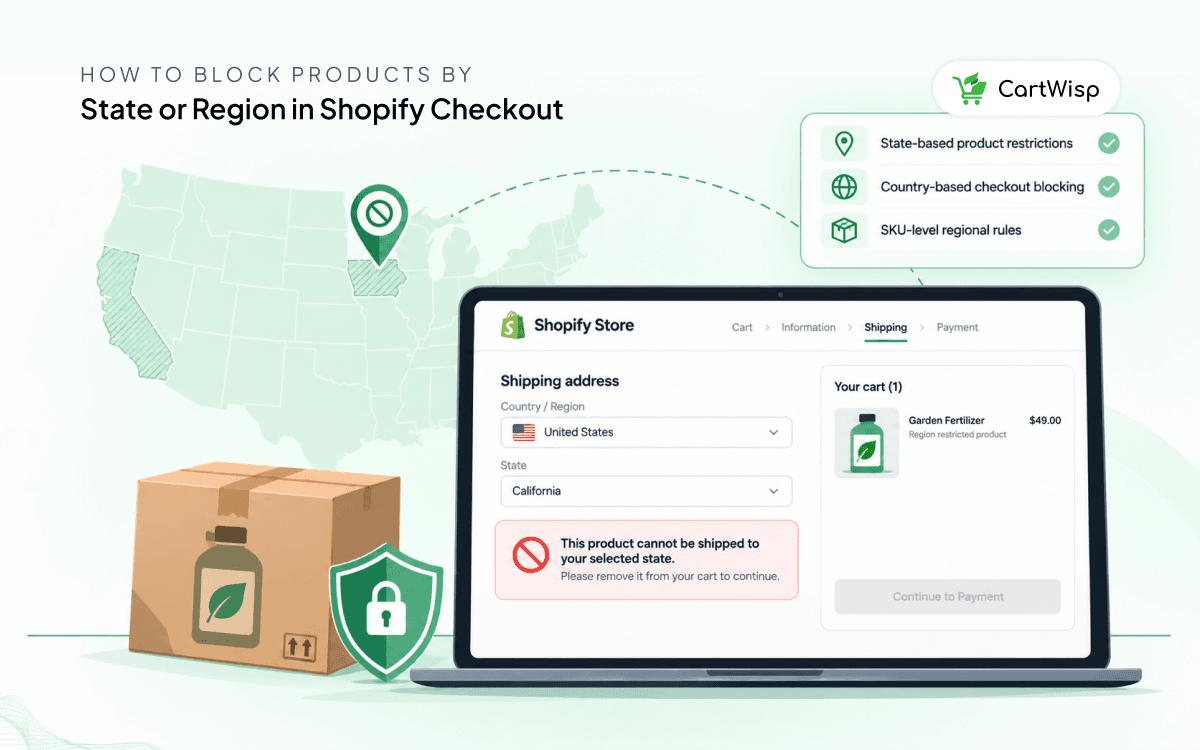
- If a product cannot ship to the selected state, checkout should block the order.
- If a SKU is allowed only in certain countries, checkout should validate the destination before payment.
- If a shipping region is unsupported, the customer should know before the order is placed.
Example message:
“This product cannot be shipped to your selected state. Please remove it from your cart to continue.”
This gives the customer a clear next step and prevents the order from becoming a manual problem.
How CartWisp Helps
CartWisp helps Shopify merchants enforce checkout rules before orders are placed.
For region-based product control, CartWisp can help merchants create rules for:
- State-based product restrictions
- Country-based checkout blocking
- SKU-level regional restrictions
- Restricted product rules
- Unsupported delivery regions
- Shipping destination validation
- Customer or buyer eligibility rules
If the order violates the configured rule, CartWisp can block checkout and show a clear message.
Example Outcome
Before CartWisp:
- A restricted product is ordered from an unsupported state.
- The team reviews the order manually.
- Support contacts the customer.
- The order is cancelled or refunded.
- Fulfillment is delayed or stopped.
After CartWisp:
- Checkout checks the shipping region before the order is placed.
- The customer sees the restriction immediately.
- The invalid order is prevented.
- The team avoids manual correction.
Final Thought
If restricted products are still reaching your team after checkout, the issue is not only fulfillment or support. It is checkout validation.
CartWisp helps Shopify merchants enforce region-based product rules before invalid or unsupported orders are placed.
Book a Demo to see it in action: https://cartwisp.com/demo
Install CartWisp on Shopify: https://apps.shopify.com/cartwisp
#CheckoutValidation #CheckoutControl #CheckoutRules #CheckoutPolicy #CheckoutGovernance #InvalidOrders #OrderValidation #PolicyEnforcement #ShopifyCheckout #ShopifyCheckoutRules #WholesaleEcommerce #ShopifyB2B